

Project and task registers
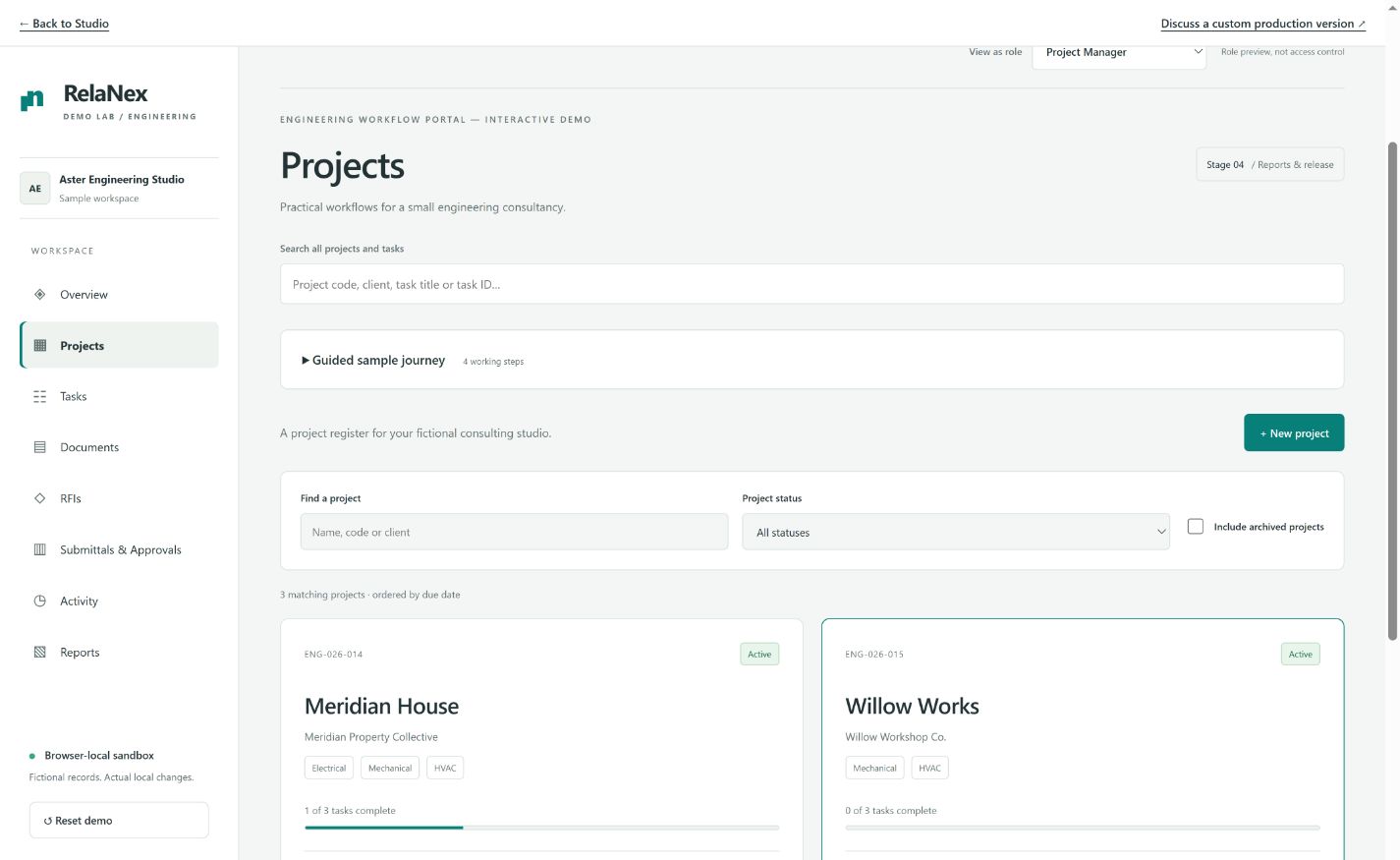
Record scope, ownership, due dates and task status in connected registers. Keep completed and archived context available without mixing it into every active-work view.
Engineering & professional services
Give a small engineering consultancy a clearer path from project setup to a recorded review. Connect the task, the technical question and the exact document revision that needs a decision.
Technical work often depends on information that lives in different places: a register of projects, a folder of drawings, an unanswered email and a spreadsheet of submissions. A task can look complete while a document is still awaiting a decision. The software should make those different states visible.
A tailored workflow starts with your naming rules, revision conventions and review responsibilities. Internal engineering work and client-facing review may need different permissions, so those boundaries should be designed rather than implied by a role label.
Possible solution modules
These are capabilities to scope around your operation, not a fixed bundle of connected services.
Record scope, ownership, due dates and task status in connected registers. Keep completed and archived context available without mixing it into every active-work view.
Identify the document separately from its revisions. Retain earlier metadata and refer to the exact issued revision when recording a review decision.
Give technical questions an owner, due date and visible response history. Define what answering and closing mean in your process instead of relying on an unread email thread.
Group selected revisions into an issued transmittal, record item decisions and retain the submitted snapshot. Reports can explain what is pending and what has been decided.
How the work takes shape
Review example project codes, document numbers, revision labels, RFI records and submission forms. Establish which historical facts must be retained.
Review project setup, a question, a revision, a submission and a decision together. The acceptance path should cover rejection and correction as well as the happy path.
Agree authenticated client access, role permissions, server storage, backups and notification needs before putting real project records into the system.
An honest example
The interactive demo supports projects and tasks, document revisions, RFIs, transmittal reviews, reports and CSV exports. It uses fictional Aster Engineering Studio records. Role selection is a preview, not access control; files are represented by metadata rather than a production attachment store.
Questions before you begin
No. It records fictional document and revision metadata. A production file-upload and retention system would need its own storage, permissions and backup design.
Client review can be scoped for a production system. The demo lets you preview review behavior locally, but it does not authenticate a client or restrict records by user.
The demo retains revision history and ties issued items to specific revision IDs. Your production numbering, correction and retention rules would be agreed during discovery.
No. It is an interactive demo with fictional browser-local data. Existing portfolio client and in-house websites are identified separately.
Your next step
A short brief is enough to begin a discovery conversation. Tell us about the current process, the people involved and the outcome you need.
Start your brief ↗